Lap counter
The lap counter is made for endurance tests such as a 12-minute swim or a Cooper run: one tile per student, tapped each time they complete a lap. At the end, each student's distance is saved as a result. It works best on a phone.
It needs a metric of value type Number, e.g. "12-minute swim" in metres.
Set up
- Open the event and choose Lap counter under Results.
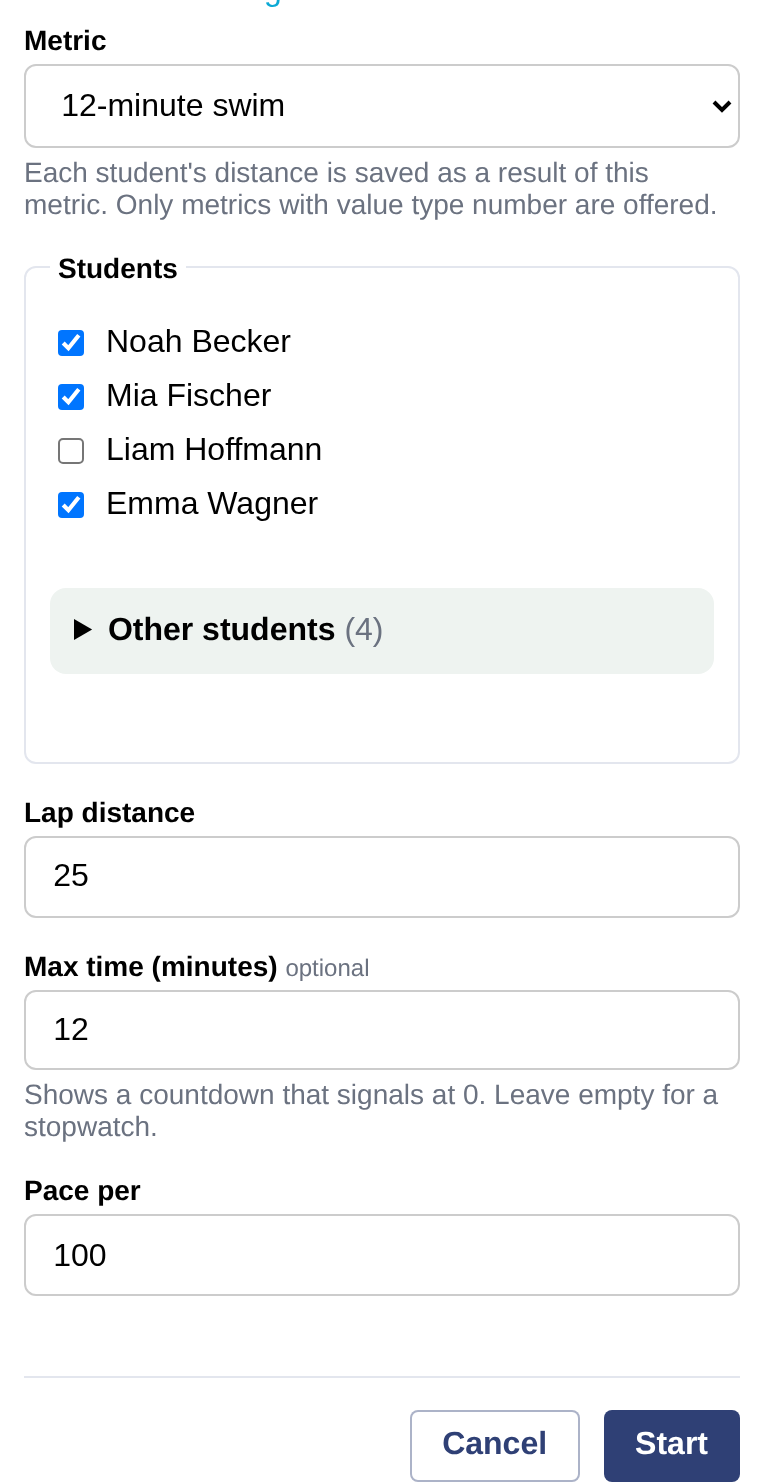
- Choose the metric.
- Check the students. Those marked present on the event are already ticked; the others are folded away.
- Set the lap distance (e.g. 25 for a 25 m pool), optionally a max time in minutes for a countdown, and the distance the pace is shown for.
- Choose Start.
Count
The clock starts for everyone at once: a countdown that signals at 0 if you set a max time, otherwise a stopwatch.
- Tap a student's tile when they complete a lap.
- Long press to take back a lap tapped by mistake.
Each tile shows the laps, the distance and the average pace. Its colour tells you whose lap is due: green right after a lap, yellow when the next one is due, red when it is overdue and you probably missed it.
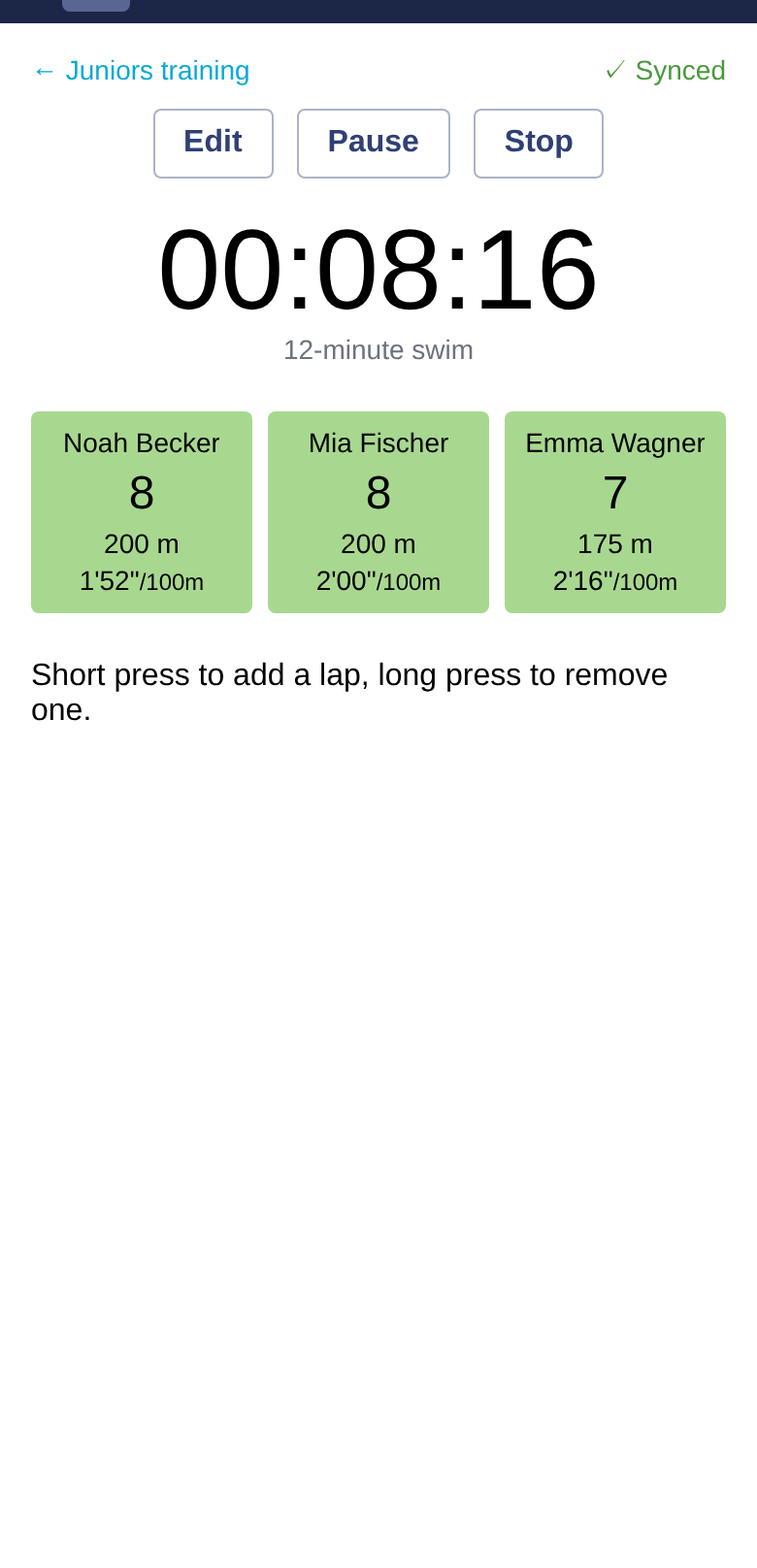
The screen stays on while counting. Every tap is saved on the phone first, so a dropped connection loses nothing; the counter shows when it is synced again. You can also reload the page or continue on another device.
With Edit you can change the distances or the max time and add or remove students while counting.
Save the results
Choose Stop. The review lists each student's laps and distance; correct a count if needed and choose Save results. Every student with at least one lap gets a new result. Only completed laps count.
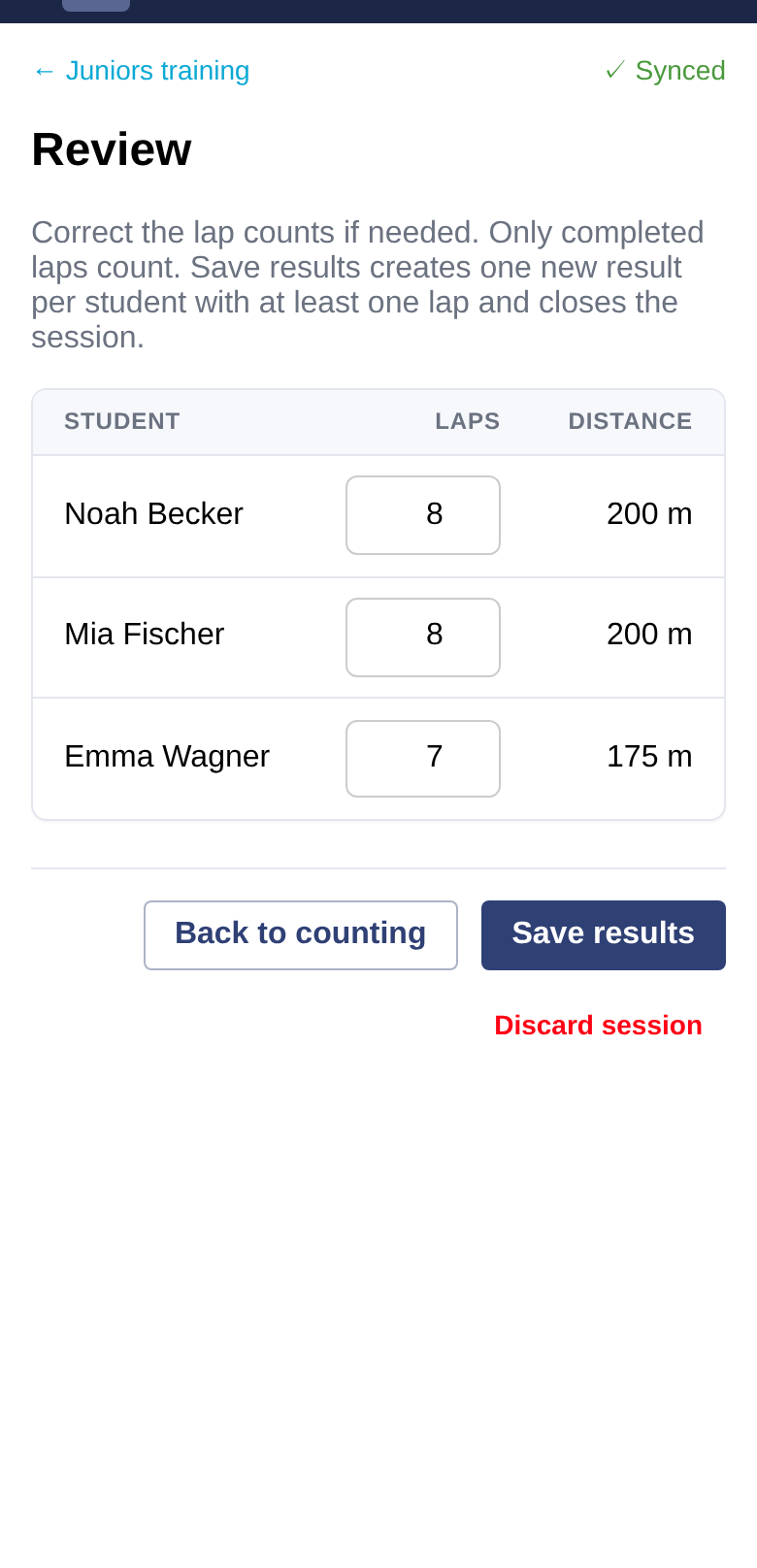
Stop is not final: you can go back to counting from the review. An event can have several lap counters at once, e.g. one per lane; unsaved ones are listed on the event to resume or discard.
See also
- Record results – Enter times and distances at an event, quickly for a whole group or one by one with splits, and follow each student's progress.
- Sports and metrics – Define what you measure, with units, direction and splits, and group metrics that can be compared.
- Record attendance – Mark students present, excused or unexcused at an event, and spot students who keep missing.