Import results
Results kept elsewhere, in a spreadsheet, another app or a swim meet's results file, can be imported in one go. TeamKit walks you through matching the file's events, students and metrics to yours, so the names in the file do not have to match exactly.
Open Settings → Import results.
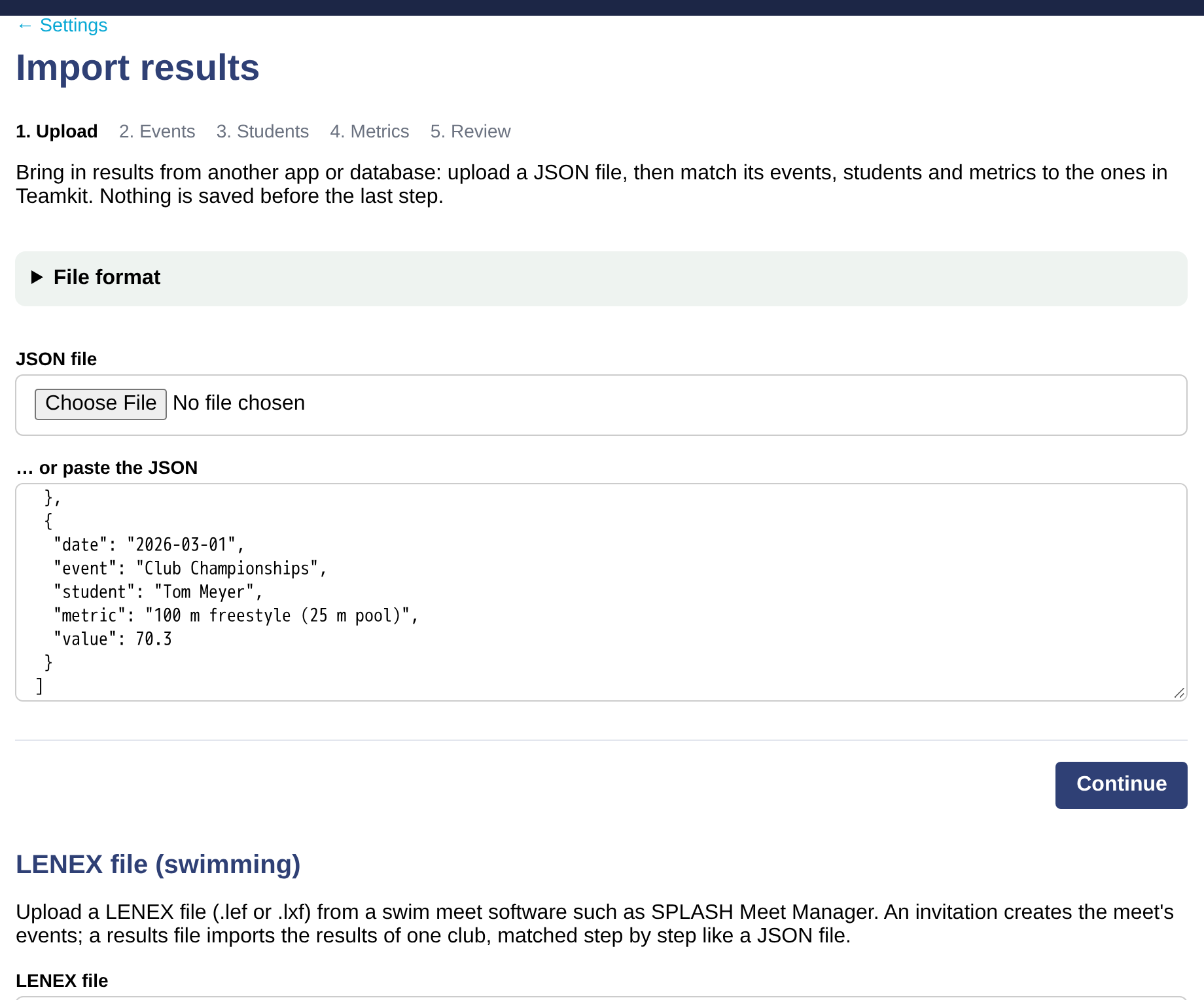
1. Upload
Upload a JSON file or paste its content. Each entry is one result:
{ "date": "2026-03-01", "event": "Club Championships",
  "student": "Mia F.", "metric": "100_free_scm", "value": 74.9,
  "children": [{ "position": 50, "value": 36.1 }] }
value is in the metric's standard unit: seconds for times, e.g. 74.9 for
1:14.90. children (splits, attempts) is optional. The page describes the
format in detail and offers a ready-made prompt: paste it into an AI assistant
together with your export, table or even a screenshot, and it writes the file
for you.
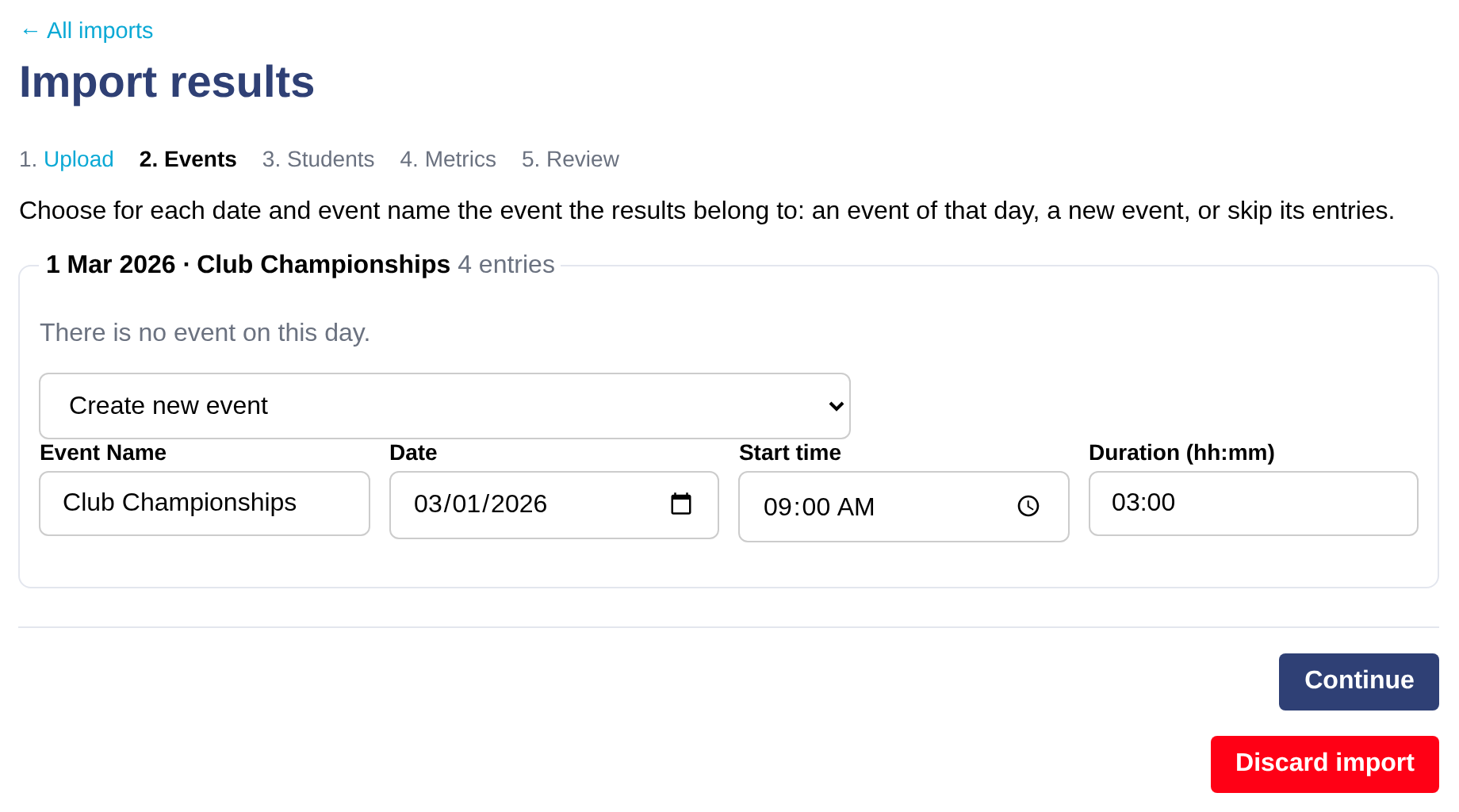
2. Events
Entries with the same date and event name go to one event. Choose an event of that day, Create new event (with start time and duration), or Skip these entries.
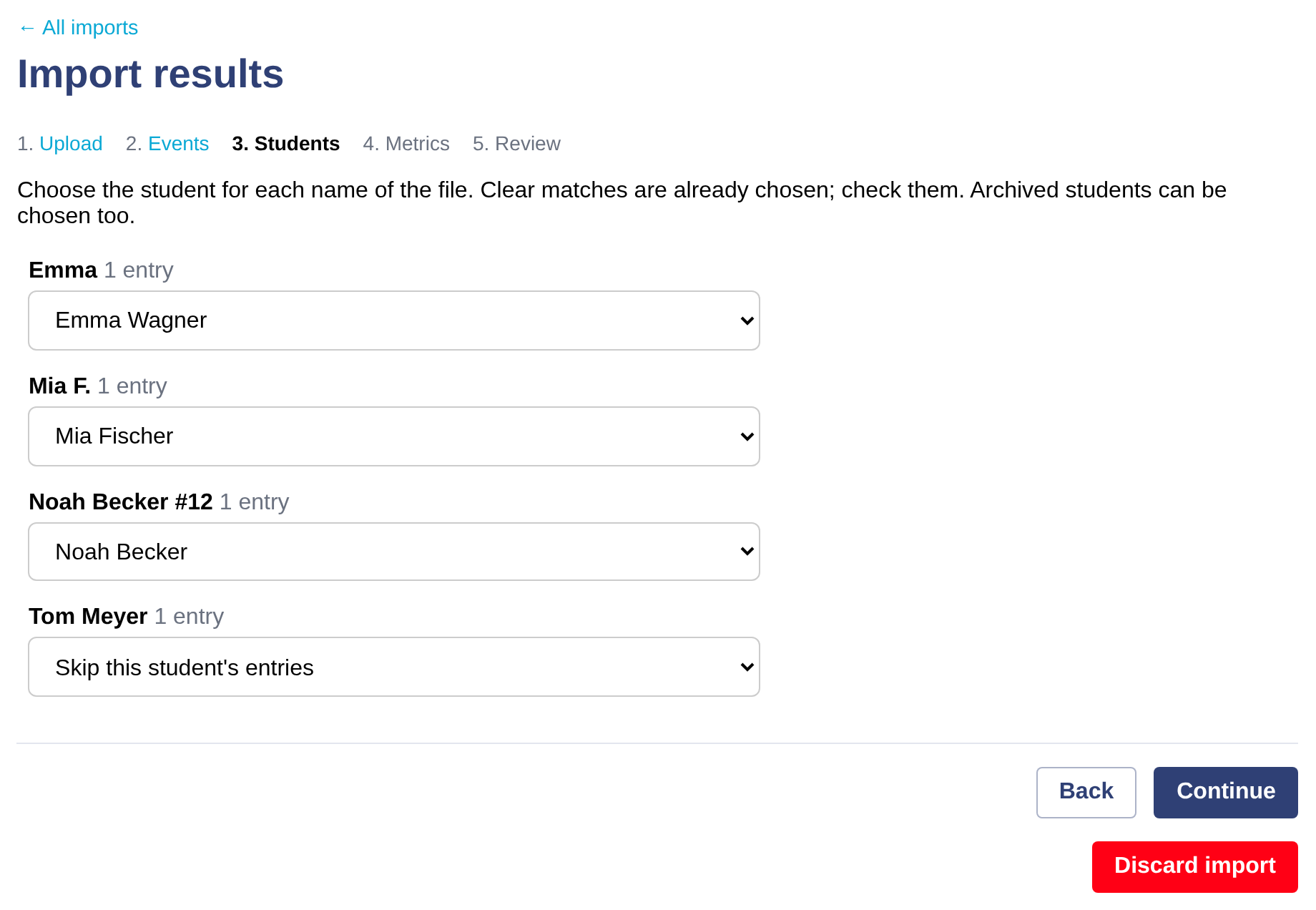
3. Students
TeamKit suggests a student for every name of the file and preselects clear
matches. It ignores IDs like #12 and understands initials and spellings
such as Mueller for Müller. Check each choice, and skip names that are not
your students, e.g. guests.
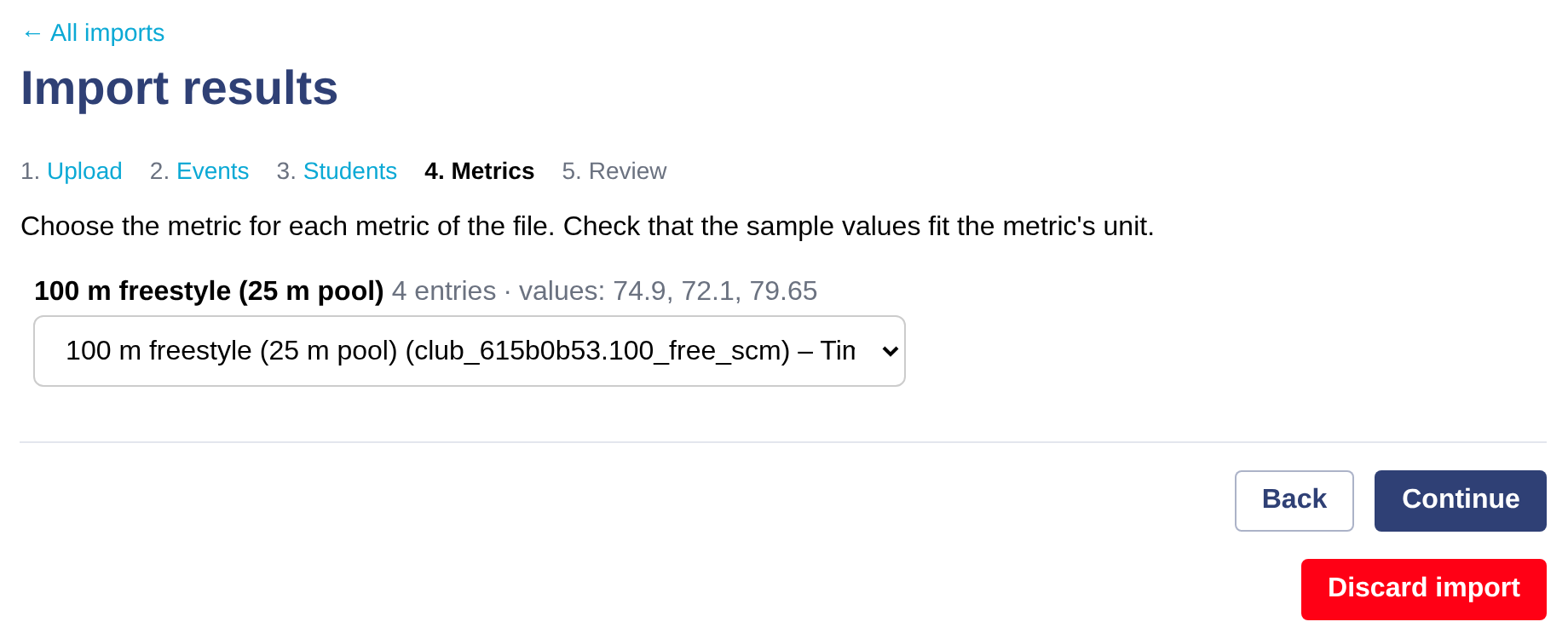
4. Metrics
The same for metrics: a metric with the same key or name is preselected. The file's sample values are shown next to each one, so a wrong unit stands out.
5. Review and import
The review lists every result that will be imported, with new personal bests and likely typos, and every entry that will not be imported, with the reason. Results already recorded are skipped, so importing the same file twice adds nothing. Choose the import button to store them all at once.
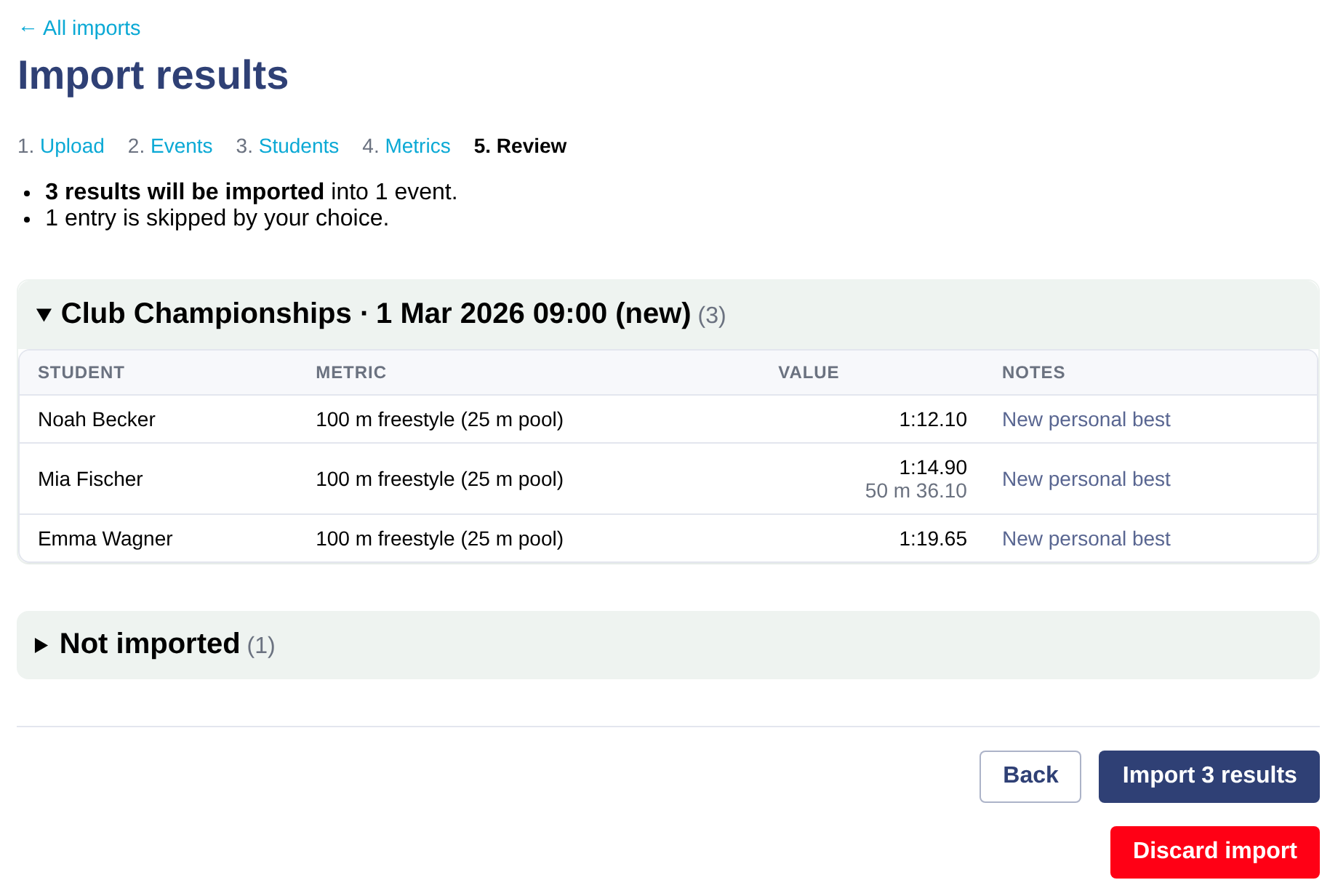
Until you import, the import is a draft that any member can continue or discard; drafts are deleted after 7 days. An import can be undone as a whole later, from Earlier imports: its results and the events it created are removed, unless something else was recorded there.
Swim meets (LENEX)
Swim meet software such as SPLASH exchanges meets as LENEX files (.lef or
.lxf). Upload them under LENEX file (swimming) on the same page
with Upload LENEX file:
- an invitation proposes one event per meet day, with the times of its sessions. Check the days and create the events, so the meet is in your calendar in advance;
- a results file asks for your club and then continues with the steps
above, with the results of your swimmers, their splits and metrics like
swim.100_free_lcm. Relays, disqualified and not started swims are left out.
See also
- Sports and metrics – Define what you measure, with units, direction and splits, and group metrics that can be compared.
- Record results – Enter times and distances at an event, quickly for a whole group or one by one with splits, and follow each student's progress.
- Events and the calendar – Plan events from your timetable or by hand, find the ones that need attention and confirm who led them.